Resources · Playbook
How to measure AI search traffic with GA4 and Search Console
6 min read · updated September 9, 2026

Use Search Console to track visibility in Google’s AI features, and use GA4 to count recorded visits and key events when measuring AI search. Also maintain a separate record of what assistants say about your business. These sources answer different questions, so adding their totals together can create a deceptive conversion rate.
This guide shows a small marketing team how to convert GA4 and Search Console data into a practical report. It expands on our small-team GEO guide. Access to your own properties is required.
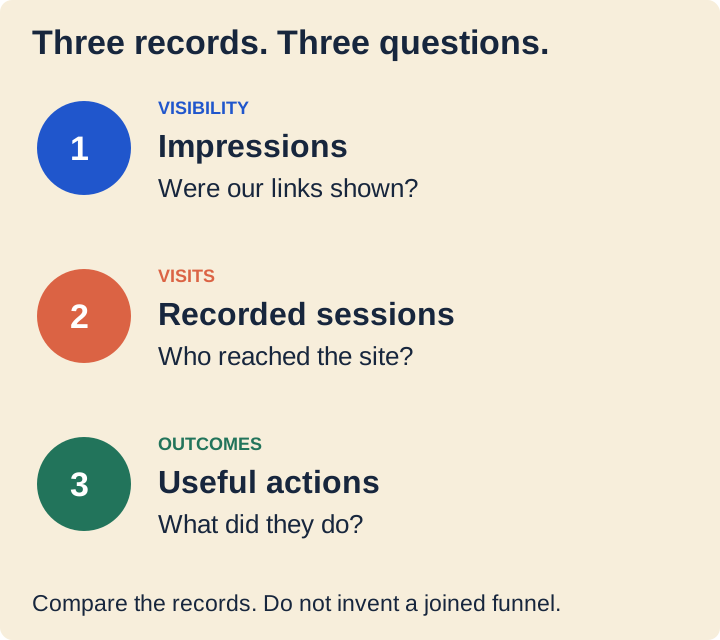
Start with the business action
First, note the action that would make a visit useful. For a consultancy, that could be a finished enquiry. For a retailer, it could be a purchase. Visits to a pricing page may indicate interest, but they do not prove that the person became a customer.
In GA4, events that matter most to your business are called key events. Confirm that the event you selected reflects the completed action, and then make sure it is recorded correctly. A submit button click is not the same as a form that is actually submitted. Google's key-event documentation describes the model behind this.
When building the report, show the event name and definition alongside the count. If the company later revises the definition of an enquiry, note the date. Otherwise, a measurement change may be mistaken for marketing improvement.
Find recorded AI assistant visits in GA4
Go to Reports > Acquisition > Traffic acquisition. Choose Session source / medium and review the sources that are truly present in your property. This report covers sessions from both new and returning users; the User acquisition report addresses a different question about first acquisition. See Google's Traffic acquisition guide.
Look for assistant names and inspect the full source values. Keep a list of the values you can confirm, the date range, and any doubt. Do not assume every assistant visit uses the medium referral, and do not label every google / organic session as AI traffic.
Start with this compact reporting view:
- Recorded sessions from the identified sources.
- Engaged sessions from those sources.
- Your chosen key event, along with its definition.
- The landing pages reached by those visitors, viewed in a compatible report or exploration.
If the view shows zero, there were no matching recorded visits in that data set. Even so, someone may still have seen your brand in an answer without producing an identifiable visit.
Create a separate AI assistants channel
If the source list proves useful, make it reusable. An Editor or above can go to Admin > Data display > Channel groups, duplicate a group, and add an AI assistants channel. Create Source rules for the values you want to count, and place that channel ahead of broader channels that might also match the same traffic. After that, choose the custom group in an acquisition report. Google documents both the setup and an AI assistants example.
Start with a brief list of sources you have verified. A wide pattern that matches every source containing ai may also capture unrelated names. Before relying on the rule, validate the sources you want included as well as the ones you want excluded.
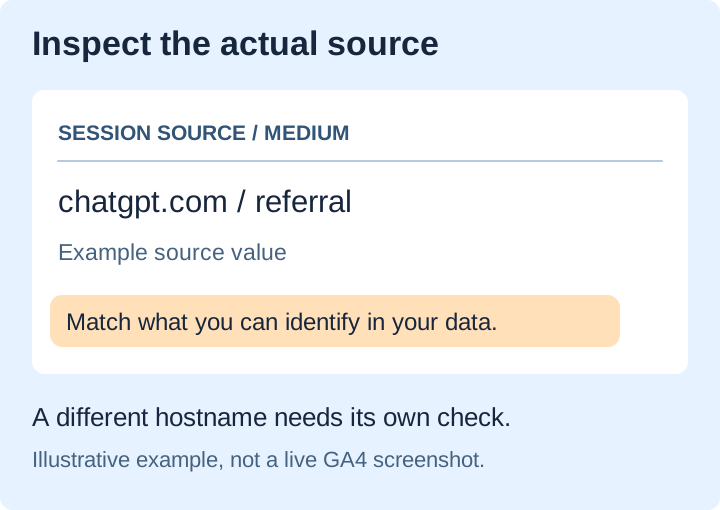
For instance, if chatgpt.com appears in your data, an exact Source match can classify that value. It will not automatically cover a different hostname or a tagged source value. Add those only after you confirm what they mean. This is an example configuration, not an exhaustive catalog of assistant sources.
At first, keep the group as a separate reporting view. Document the rules and the dates of edits so that anyone reviewing an older report can tell what was counted.
Read Google's AI visibility report separately
Search Console’s Generative AI performance report for Search shows impressions for AI Overviews and AI Mode. It lets you review pages, countries, devices, and dates. This is a visibility report, not a conversion report. Its help page says a report may be absent if impressions are too low. Check the current report documentation.
Google’s June 2026 announcement, updated in August says these impressions are also part of overall performance reporting. Do not combine the dedicated AI total with the overall total, because that would count overlapping data twice.
When exporting, always retain the date range and filters. Before comparing a property total to a sum of page rows, review the aggregation notes. Matching dates alone does not let either number be tied to an individual GA4 session.
What about Bing, Copilot and answers with no click?
Bing’s AI Performance announcement outlines citation reporting for supported Microsoft experiences and selected partners. It clearly separates citation counts from ranking, placement, and authority. Use that report only within its documented scope, rather than describing it as a count of all AI mentions. Bing's announcement.
In addition to platform reports, keep a small set of answers to your buyer questions. Log the question, engine, mode, date, visible citations, and whether the description is accurate. If a mention is not linked, record it in that answer log. It is not a GA4 visit.
Our visibility-score guide explains why repeated observations are important. Keep the sample steady enough for comparison, and describe the outcomes as observations from that sample.
Turn the report into a decision
Consider this example reporting note: “Google AI impressions increased this month. GA4 recorded 18 sessions from our identified assistant sources and two completed enquiries. We have not established whether the Google impressions produced those sessions or enquiries.”
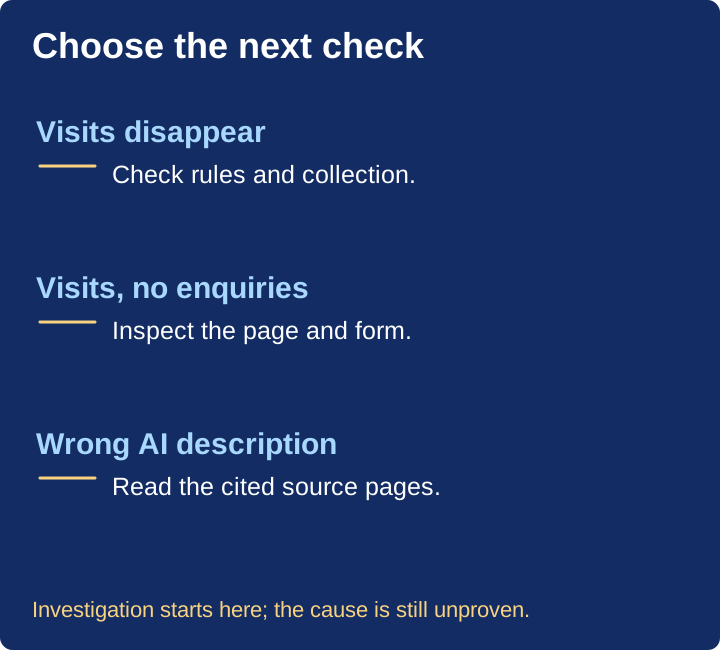
That is far more helpful than presenting an AI conversion rate based on unrelated totals. The next step is to examine the enquiries and landing pages, not to divide two by the Google impression count.
End each report by naming one action and the evidence behind it. Fix an incorrect product description. Repair a broken enquiry form. Investigate a source that disappeared after a reporting-rule change. Leave unexplained changes labeled as unexplained.
Common questions
Can GA4 measure every AI-influenced sale? No. This workflow reports identifiable, recorded traffic and selected actions. It cannot rebuild every earlier answer a person saw or every influence on a purchase.
Does a citation count as traffic? No. A citation is a link in an answer; traffic requires a recorded visit. Keep both if they help your decisions.
What should a small team do first? Confirm one meaningful key event and review actual session sources. Then add the platform visibility reports beside them. Only expand the reporting once you know what decision the extra data will support.
Check your brand's AI visibility, then use the weekly GEO routine to keep observations and follow-up work together.
Citations (6)showhide
See who AI recommends in your category
The free scan asks ChatGPT three of your buyers' questions and shows whether you're in the answer, in about a minute.
Run the free scan →Go further with daily AI tracking, SEO and competitor paid ads research, and recommendations to help you act. Explore the plans.