Resources · Playbook
GEO in 2026: a practical guide for small teams
6 min read · updated September 27, 2026

Begin GEO by identifying a question that a buyer actually wants answered. If your site fails to resolve that question, you already have a clear starting point.
Generative engine optimization, or GEO, is the practice of shaping how your company shows up in answers produced by AI systems. That covers whether you are named, whether your content is linked, and whether your offer is portrayed correctly. Those are worth examining. They are also not the same as a person landing on your site or turning into a customer.
When time is short, focus on a small set of pages that support decision-making. Make sure search systems can reach them, then note what changes after you improve them. You do not need a large publishing programme to get going.
Keep SEO in the plan
GEO gives you an additional lens for judging your content. Keep doing the search work that helps people discover and interpret it.
Google says SEO still matters. To qualify, content must be indexed, eligible for snippets and included in Search generative AI. No special schema, chunk length or llms.txt file is required. This guidance applies specifically to Google. Google’s AI optimization guide.
For top-level properties, Search generative AI inclusion is on by default, and child properties inherit that setting. Before treating it like a new opt-in step, verify your configuration. Google’s inclusion controls.
Keep these items in the same backlog as your SEO and content tasks. If a key service page shows an outdated price, correct it. If a comparison leaves out an important limitation, add that limitation. If a page cannot be indexed, look into that before you commission five supporting articles.
Prioritize work that makes the site more helpful even if AI-answer visibility never changes. For a small business, that creates a defensible reason to invest without relying on a citation prediction.
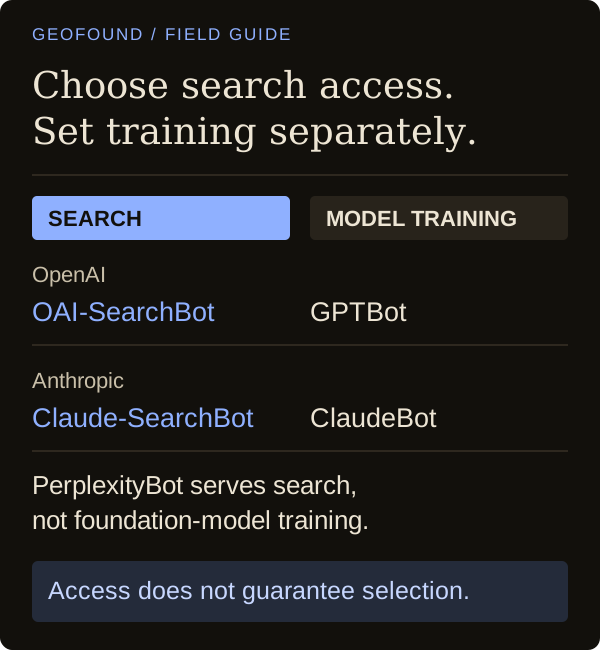
Separate search access from training access
Before you change crawler rules, decide and write down what you are trying to permit. “Block AI” is too vague to guide someone adjusting access settings.
OpenAI separates OAI-SearchBot, which is used for ChatGPT search, from GPTBot, which is used for training. Those controls are not linked; search access being allowed does not mean selection is guaranteed. OpenAI’s bot documentation.
PerplexityBot is for search results, not foundation-model training. Its documentation covers published crawler IPs and firewall setup in addition to robots.txt. Perplexity’s crawler documentation.
Anthropic draws a distinction between Claude-SearchBot for search, ClaudeBot for training, and Claude-User for user-directed retrieval. Anthropic’s crawler guidance.
Give the person who manages your site a concise access brief: which search crawlers you want to allow, what you want to do about training, and which pages should be checked. Ask them to review both the site rules and the security configuration, then write down the outcome.
Keep permission and visibility as two separate checks. Even when a page is reachable, it still has to contain useful material, and you still need evidence to tell whether an answer uses it.
Publish evidence that helps someone choose
Start from a question a buyer has genuinely asked. Sales emails, support tickets and objections heard in conversations can all provide candidates. Pick one where your current answer is incomplete and where a stronger answer would help someone decide.
For example, if you sell booking software to independent clinics, “The future of appointment management” is too broad to be useful as a writing brief. “Can we move recurring appointments without losing their assigned practitioner?” gives the writer a concrete issue to solve.
A helpful page might describe the supported workflow, the information a customer needs to provide, the situations that require manual handling, and who should verify the outcome. Include a worked example only when it matches the product. If the example is hypothetical, label it plainly.
Provide enough context for readers to judge the evidence. For a real test, say what you tested, when you tested it, how you tested it and what limits applied. If the author has relevant credentials, state the actual credentials. If a result only holds for one configuration, keep that boundary beside the result.
That may require publishing fewer claims. A frank note about an unsupported use case can be more helpful to a buyer than another paragraph about flexibility. It also gives your team a precise sentence to compare against when checking AI answers about the product.
Decide what you are measuring before collecting it
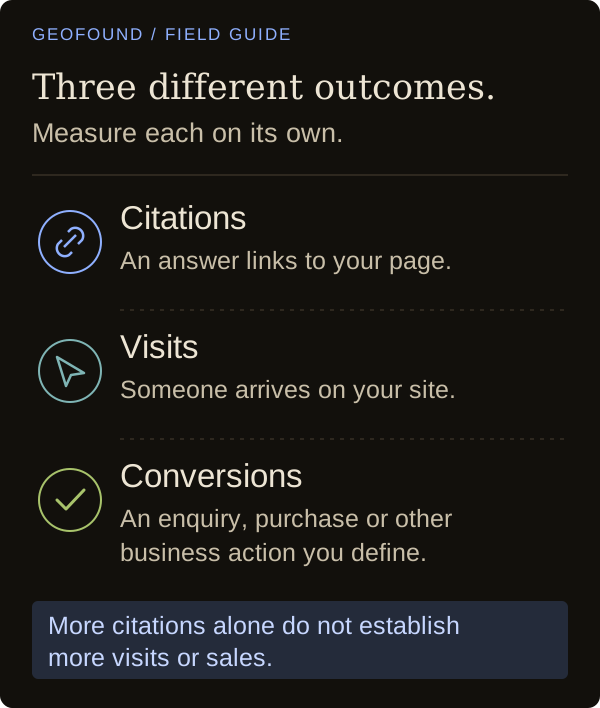
Keep these three outcomes distinct:
- Citations: an answer links to your material.
- Visits: someone arrives at your website via a visible referral.
- Conversions: someone completes a defined business action, such as an enquiry or purchase.
Also track unlinked brand mentions and accurate recommendations on their own. A mention with the wrong description deserves attention even if the visibility number looks good.
Google Search Console documents a Generative AI performance report for AI Overviews and AI Mode impressions, including page, country and device views. It is not a cross-platform citation report or a dedicated conversion report. Google’s report documentation.
In February 2026, Bing announced AI Performance in public preview. It shows citations across supported Microsoft experiences and selected partners; those counts do not prove placement, authority or ranking. Bing’s announcement.
Use those reports only within the scope they state. In parallel, maintain a small fixed set of buyer questions for manual review. Capture the engine, mode, date, location and raw response. Repeat the observations instead of choosing the answer that best fits your expectations.
Describe the findings as results from that sample. Ten questions do not represent every buyer’s experience. If an answer changes after a page edit, that alone does not prove the edit caused the change.
Rely on analytics to review observable referral visits and business outcomes, while recognizing that attribution is incomplete. Do not collapse all of these measures into one success score. You need to know whether the issue is missing coverage, incorrect information or a lack of useful customer action.
Use SEO and paid ads research to choose the work
Geofound combines AI visibility tracking with SEO and competitor paid ads research. Review keyword opportunities, competitor rankings, backlinks and site diagnostics to identify pages worth improving. Inspect competing search ads to compare the offers and messages buyers encounter.
Bring the relevant findings into your content plan. A keyword gap can prompt a closer look at a comparison page; an ad can reveal a customer concern your landing page leaves unanswered. Geofound's recommendations and playbooks help turn that evidence into concrete tasks.
Give a small team a four-week starting plan
Use four weeks to structure the work and review what you observe. That is not a promise of better visibility by the end; the observation window may need to be longer.
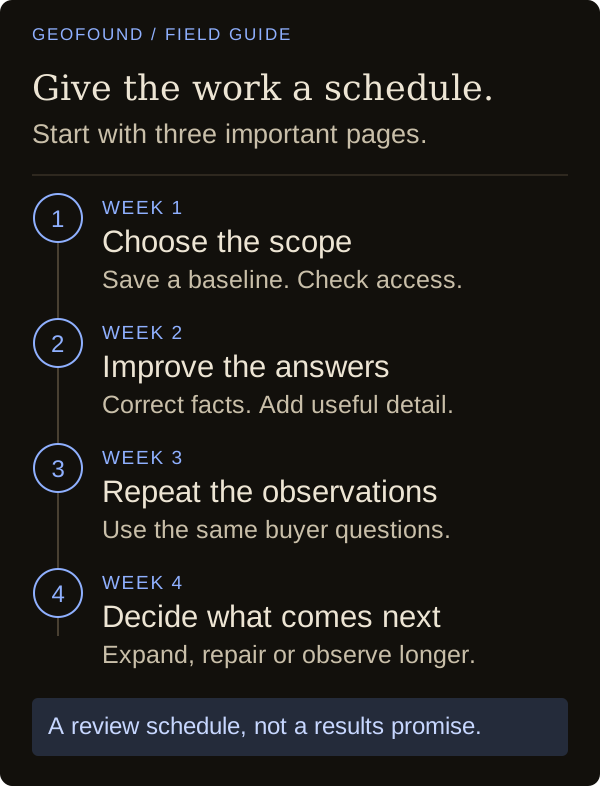
Week one: choose the scope. Select three important pages and a practical set of buyer questions. Save the current answers from the engines you picked. Note factual mistakes, mentions and links separately. Finish the access checks and record any unresolved problems.
Week two: improve the answers. Fix inaccuracies first. After that, close one specific gap on each page: a missing limitation, a vague process or an unsupported claim. Log each edit and its date. Before publishing, have someone who understands the product review the substance.
Week three: repeat the observations. Use the same questions and preserve the same context. Examine the relevant platform reports and visible referrals. If the results are different, explain the difference without claiming a cause you cannot show.
Week four: make a resource decision. Only expand if you can identify the next useful content gap and explain why spending time on it is worthwhile. If access is still unresolved or the descriptions are still incorrect, keep the scope narrow and deal with those issues first.
The question is whether the next task will help buyers and create something you can assess. A clearer, accurate page is a concrete deliverable. Citations, rankings and revenue are still outcomes to monitor, and none of them comes with a guarantee.
Citations (7)showhide
See who AI recommends in your category
The free scan asks ChatGPT three of your buyers' questions and shows whether you're in the answer, in about a minute.
Run the free scan →Go further with daily AI tracking, SEO and competitor paid ads research, and recommendations to help you act. Explore the plans.