Resources · Strategy
GEO strategy: which pages should you improve first?
6 min read · updated September 27, 2026

Generative engine optimization is the work of helping a company and its content show up in AI-generated answers. A sound GEO strategy begins with a buyer’s decision and the proof required to support it. Before you commission yet another explainer, verify whether your product, pricing, and comparison pages already address the follow-up questions a buyer is likely to ask.
If the phrase is unfamiliar, begin with what GEO means.
What changes when you plan for AI answers?
An answer may name a business, point to a page, or summarize a product without driving a visitor to your site. Those are distinct results. Search Engine Land's GEO overview offers a helpful introduction to the broader blend of content, reputation, and measurement tasks. Its strategic guidance should not be treated as a blueprint for every assistant’s ranking logic.
For Google in particular, the company’s current optimization guide frames this work as SEO. Google also says it ignores llms.txt for Search, and there is no unique GEO schema requirement. For Google, then, engineering effort belongs in ordinary SEO work, not in llms.txt or special schema.
Aim for information that is clear and verifiable by customers. View AI visibility as something to observe, not as a trait a writer can certify by choosing a specific template.
Start with one buyer decision
Pick a question that comes before a purchase or a serious enquiry. “What is our category?” may work as an introduction, but “Can this service handle our particular situation?” usually requires details only your company can provide.
Imagine a scheduling product. The question might be: “Can a small clinic use this for several practitioners without sharing everyone's calendar?” The answer should live on a product or use-case page, along with the relevant permissions, setup steps, and limits. A generic article about appointment scheduling would not resolve the decision.
Use your buyer-prompt research to find the actual wording. Do not attribute search volume or customer demand to a list produced by an assistant. Treat unverified questions as ideas worth investigating.
Use competitor research to find the gap
Geofound's SEO research shows keyword opportunities, competitor rankings, backlinks and site issues. Paid ads research lets you inspect competing search ads and paid keywords. Use that evidence to choose which existing page deserves attention.
If a competitor ranks for a relevant comparison and your page omits an important buying criterion, investigate that omission. If an ad highlights a concern your customers also raise, check whether your landing page answers it. Use customer evidence and verified product facts to decide what to write.
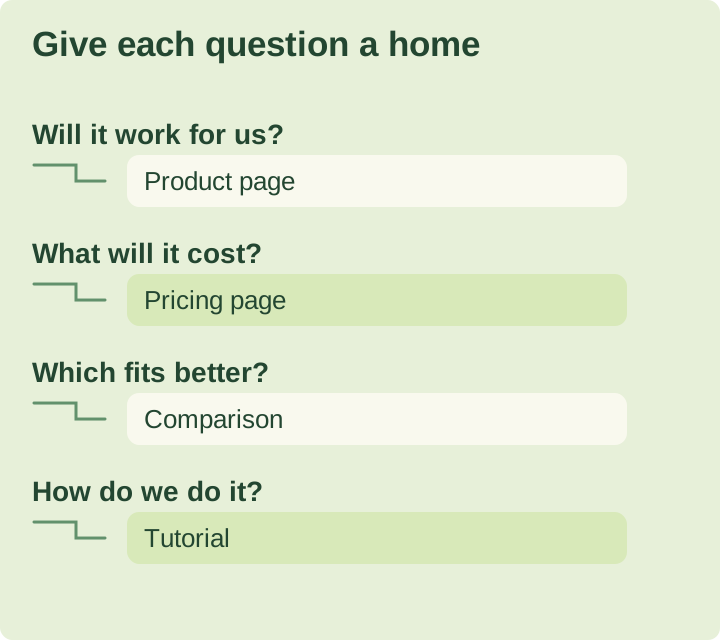
Match the question to the right page
Product or service page: describe who it is for, what it does, key requirements, and situations it cannot support. Include the details readers need to judge whether it fits.
Pricing page: explain what the price covers, which limits apply, and which charges alter the decision. If pricing depends on a quote, describe what drives the quote instead of inventing an example offer that could be mistaken for a real one.
Comparison page: identify the criteria, rely on current sources, and acknowledge cases where the alternative is a better match. Keep product facts distinct from your opinion.
Guide or tutorial: answer a process question that does not work well in a short product section. Present the steps, inputs, exceptions, and a way to confirm the result.
These are editorial priorities, not evidence that one page type gets an AI ranking boost. A strong first project might simply be an existing pricing page that lacks one explanation.
Choose evidence before rewriting
Before you make a change, identify the person or source that can confirm it. Product behavior requires a verified product setup or up-to-date documentation. A customer outcome requires permission and the original evidence. A numeric comparison requires aligned definitions and dates.
Google’s helpful-content guidance asks whether a page adds original information and shows reliable sourcing. You do not have to fabricate a case study to satisfy that standard. A clear explanation of a real limitation can be useful information.
A hypothetical example must remain clearly hypothetical. Do not add a person’s name, photo, or quotation just to make it look like a customer testimonial.
Improve the page without making it harder to use
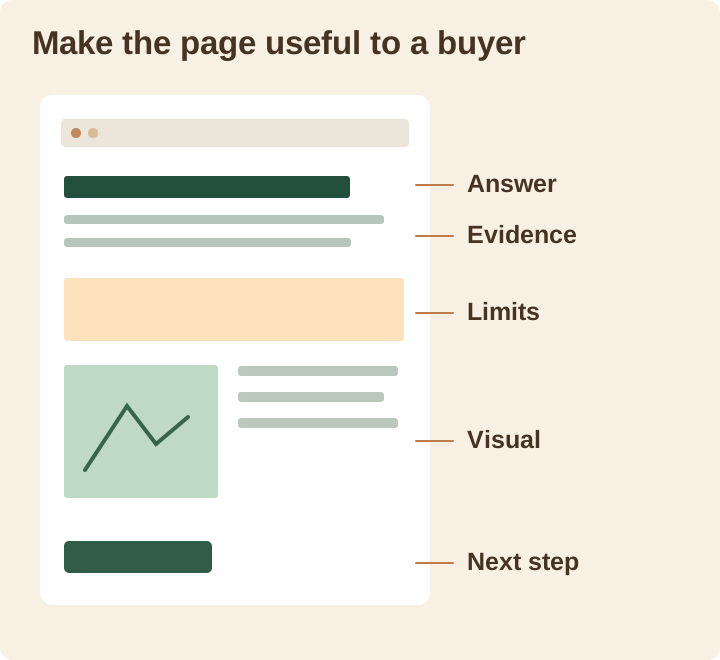
Place the answer close to the question. Keep its qualification nearby enough that the meaning still holds on a quick read. If a feature works only on one plan, say that in the feature description rather than burying the exception at the end.
Use a visual when it communicates a relationship or process faster than prose does. A permissions diagram can show who can view an appointment. A real, current screenshot can reveal where a setting is located. A decorative stock image cannot verify either claim. Follow Google's image guidance on descriptive alt text and relevant surrounding context.
Link in a natural way to the page that answers the next question. A product explanation can send readers to pricing; a discussion of measurement can point to the AI traffic guide. Do not repeat the same keyword-heavy link in every paragraph.
Check access before judging the copy
A polished page is not useful if a visitor cannot reach it. Google’s technical requirements call for accessible, functioning pages with indexable content. For Google AI-specific participation and reporting, use our AI Overviews guide.
If the page relies on a complex interaction to reveal the key information, examine what a visitor and the relevant crawler can actually see. Our website readability guide covers this check in more depth. Do not strip out important interface behavior just to satisfy a vague idea about AI preferences.
Set a completion test and a review date
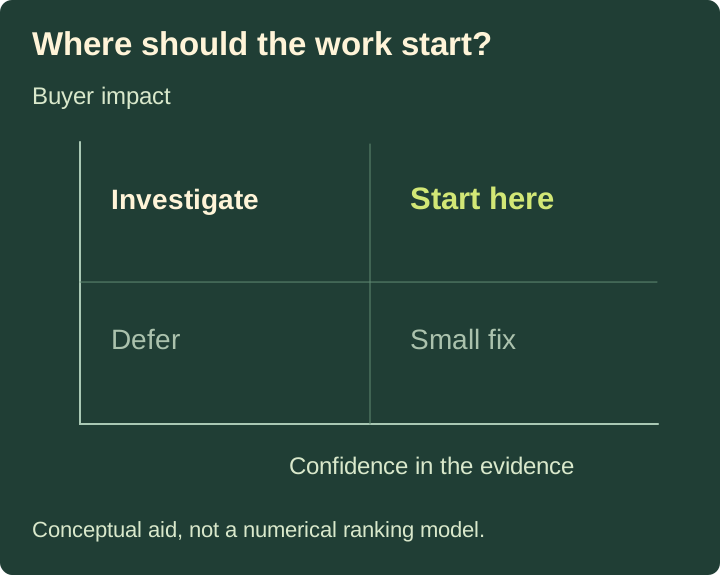
Select one to three pages that answer a defined buyer decision. Preserve their current content and your first observations. Consider the work complete only after the claims, links, and visuals have been checked on the resulting pages.
After that, track the relevant outcomes: accurate descriptions in your saved answer sample, platform visibility where reported, identifiable visits, and useful business actions. The measurement guide explains why those records should remain separate.
Do we need more articles? Only when an important question does not already have a suitable page. If a second article would just repeat the first, improve the existing answer instead.
Can a finished page be guaranteed to appear in AI answers? No. Completion means the page is useful, accessible, and checked. Whether a search or answer system selects it is still outside your control.
Begin with the page that is missing the information a buyer needs in order to decide. Use a visibility scan as one input, then bring the changes and later observations to your weekly review.
Citations (5)showhide
See who AI recommends in your category
The free scan asks ChatGPT three of your buyers' questions and shows whether you're in the answer, in about a minute.
Run the free scan →Go further with daily AI tracking, SEO and competitor paid ads research, and recommendations to help you act. Explore the plans.