Resources · Technical
Can AI read your website? How structure decides whether you get cited
7 min read · updated October 28, 2026
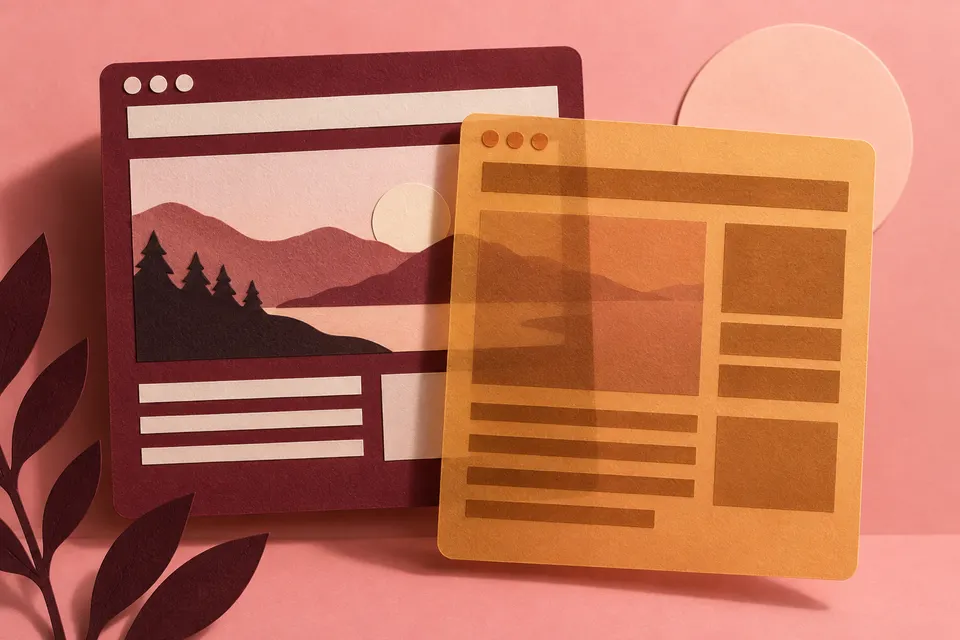
What a person sees
What a machine reads
Yes, AI can read your website if your server sends the content as HTML. Major AI crawlers do not run JavaScript, so text that only appears after scripts load may never reach them. The checks below show what they receive.
Your site is now read by two very different kinds of machines, and neither experiences it like a human visitor does. The first is the crawler that powers AI answers such as ChatGPT, Claude, Perplexity, and Google's AI surfaces. The second is the AI agent that shops and browses on a user's behalf. Both depend on your page's structure rather than its visual styling. When that structure is tidy, they can pull out your wording and restate it. When it is not, they miss you entirely, even if the page looks flawless to people.
If you want AI recommendations, first verify that the relevant crawlers and agents can actually interpret your page. This guide walks through access, page structure, and the tests you can run.
Do AI crawlers even see your page?
Usually, they see less than you expect. Vercel's crawler study showed that major AI crawlers do not run JavaScript: GPTBot and ClaudeBot fetch script files, but never execute them. They consume the raw HTML your server sends, then continue on. That is the reverse of Googlebot, which launches a full browser and renders the page.
The real-world result is simple: if your critical content only appears after JavaScript runs, whether through client-side rendering, scroll-triggered loading, or framework-injected text, an AI crawler may encounter nothing but an empty shell. Anything you want quoted should be server-rendered or statically generated. Confirm AI crawlers can actually reach you before going further, because a page that is blocked or cannot be rendered already fails at the first hurdle.
Why structure decides what gets extracted
After a crawler receives your HTML, it must separate the actual content from the surrounding furniture: navigation, ads, cookie banners, related-post modules, and so on. It relies on semantic structure to do that. Landmark elements such as main, article, nav, header, and footer show a machine where the main content starts and ends, letting it pull the real text away from the chrome. A clear heading hierarchy (one h1, followed by h2s and h3s that do not skip levels) works like a table of contents: it helps a retrieval system break your page into sections it can quote with context. Descriptive link text and genuine alt text convert links and images into usable information instead of dead ends.
Nothing here is unusual. It is just solid HTML. Yet most sites still get it wrong: the 2026 WebAIM Million report found detectable structural problems on the vast majority of leading homepages, and missing link text plus unlabeled controls were among the most frequent. Each of those issues is a place where a machine loses the thread.
The new reader: AI agents and the accessibility tree
Answer-engine crawlers infer structure from HTML. AI agents go a step further. The newer generation of browsing and shopping agents reads the accessibility tree directly, which is the same simplified view of the page a screen reader uses. It reduces the page to roles, names, and states: this is a button named "Add to cart," this is a link named "Pricing," this is an email field with a label.
They prefer it because it is inexpensive and clear. A screenshot can consume many tokens from a vision model and still leave it guessing which pixels can be clicked. By contrast, the accessibility tree simply states the facts. OpenAI tells developers directly that improving accessibility helps its agent understand a site.
The failure mode is exact: if a button has no label, or a link is empty, the agent cannot identify the control, so it cannot click it, so it cannot recommend or purchase through it. In 2026, Cloudflare Radar found automated traffic overtaking human traffic on the web. That means the biggest readership of your site is now a machine that relies entirely on structure.
So is AI discovery "based on accessibility"? Honestly, partly.
It is easy to push this too far. Accessibility and semantic HTML are essential, but they are not enough on their own. They make your content extractable; they do not automatically make you recommended. A page can be perfectly structured and still lose if nobody cites it or if it does not answer an actual question.
What truly drives AI recommendations are the topics covered elsewhere in this library: getting cited by the sources AI trusts, publishing answer-style content for the questions your buyers actually ask, and providing clear entity signals such as structured data. Readable structure gives systems access to your information. The information itself still has to answer something useful and be backed by evidence.
A short structural checklist
Begin with these checks:
- Server-render or pre-render any content you want quoted. Do not assume JavaScript will execute.
- Use native elements: a real button, a real link, a real label, rather than a div wired up with JavaScript.
- Use only one h1 per page, then a heading structure that does not jump levels.
- Make every link and button understandable without surrounding context ("See pricing," not "click here").
- Add real alt text for meaningful images, and leave decorative images empty alt.
- Include JSON-LD so machines can determine what the page is about.
- Do not block AI crawlers in robots.txt unless that is your intention. Confirm which bots you allow.
Most of this can be checked directly in your browser. Right-click, choose Inspect, and open the Accessibility panel to view the exact tree an agent reads. If a heading is absent, a button has no name, or your main content does not appear in the tree, that is also what the machine sees.
Where Geofound fits
Geofound combines crawler activity, site diagnostics and daily AI visibility tracking to help you find issues and review what changes after you address them.
- Crawler tracking records observed visits once you connect a supported integration. Use those records to see which bots reached which pages.
- Its crawlability audit checks the basics a machine requires: whether robots.txt blocks AI bots, whether the page responds, and whether it includes JSON-LD, a valid title, and a meta description.
- SEO research adds page diagnostics and site audit findings. Review reported issues alongside keyword opportunities and competitor rankings to choose which pages need attention.
- Daily AI tracking records subsequent answers. Compare mentions and citations before and after your work, using the same prompts and engines.
Finishing the checklist shows what you changed. You still need repeated observations to see whether answers mention your business more often.
The checklist tells you whether AI can read you. The free scan tells you whether it recommends you: three of your buyers' questions, and the names ChatGPT returned.
FAQ
Does my site need to be WCAG compliant to be cited by AI? No. Accessibility compliance and AI-readability overlap a great deal, but they are not identical goals. You are optimizing for the same underlying property, namely clean, machine-parseable structure, and improving one usually helps the other. The aim is not to chase a compliance score. The aim is to be extractable, and then cited.
Will AI crawlers ever render JavaScript like Google does? Some may become more capable over time. Still, assuming they will not is free insurance: a server-rendered page works for every reader, whether human or machine, now and later.
Is this just technical SEO? It shares a base with technical SEO, because both reward crawlable, well-structured pages. The distinction is the goal: SEO wants your page to rank, while GEO wants your brand mentioned inside the answer. See what GEO is for the full distinction.
Citations (5)showhide
- The Accessibility Tree Is How AI Agents Read Your Site — Search Engine Journal
- AEO & Web Accessibility: Why LLMs Cite Accessible Sites — accessiBe
- Do AI Crawlers Render JavaScript? GPTBot, ClaudeBot, Perplexity in 2026 — SearchOptimo
- How LLMs index your site & how accessibility improves their answers — Oomph
- Why Semantic HTML Matters for AI Crawlers — Steakhouse
See who AI recommends in your category
The free scan asks ChatGPT three of your buyers' questions and shows whether you're in the answer, in about a minute.
Run the free scan →Go further with daily AI tracking, SEO and competitor paid ads research, and recommendations to help you act. Explore the plans.